

Table of Contents
- Quick Comparison: Cheap Gaming Accessories for Beginners 2026
- Best Budget Gaming Mouse 2026: Wireless RGB Under $15
- Best Gaming Headsets Under $50: Immersive Audio Without the Cost
- How to Build a Budget Gaming Setup: Essential Peripherals and Hidden Costs
- Used and Refurbished Gear: How to Save Without Getting Burned
- Compatibility Checklist: Making Sure Your Cheap Gaming Accessories Work Together
- What to Ignore When Buying Cheap Gaming Accessories
- Conclusion: Your First Setup Starts Here
- Frequently Asked Questions
Last Updated: September 20, 2026
Quick Comparison: Cheap Gaming Accessories for Beginners 2026
The global gaming accessories market will reach roughly USD 14.39 billion in 2026, up from USD 13.09 billion a year earlier, according to Yahoo Finance's gaming accessories analysis. That growth matters for beginners: more competition means better cheap gaming accessories for beginners 2026 than at any point in the past decade. This guide from TechyDealy breaks down what to buy first, what to skip, and where hidden costs hide.
Here's the quick version:
| Accessory | Price | Best For | Watch Out For |
|---|---|---|---|
| Wireless RGB Gaming Mouse | $12.94 | First upgrade | Honeycomb shell collects dust |
| RGB Gaming Headset + Mouse Bundle | $30.89 | All-in-one starter kit | Wired only |
| LED Noise-Canceling Earbuds | $17.99 | Mobile and handheld play | Not a full headset replacement |
| Foldable Bluetooth Keyboard | $30.21 | Couch and tablet setups | Not built for fast-paced shooters |
| Modulemaster Laptop Stand | $45.35 | Posture and airflow | Adds desk footprint |
| R36S Handheld Console | $49.18 | Retro gaming on a budget | Limited to emulated titles |
Best Budget Gaming Mouse 2026: Wireless RGB Under $15
The best budget gaming mouse 2026 is the 2.4G Wireless Mouse with RGB Backlit at $12.94, covering the three things that matter at this price: a rechargeable battery, adjustable DPI, and a comfortable shape.


- DPI settings: 800 / 1200 / 1600, switchable on the fly
- Buttons: 6, including page back and forward
- Connection: 2.4G wireless via a USB receiver stored in the base
- Charging: USB Type-C, no disposable batteries
- Compatibility: Windows 2000 through 10, plus Linux
Best Gaming Headsets Under $50: Immersive Audio Without the Cost
The best gaming headsets under $50 balance microphone clarity, comfort, and wired versus wireless. At this price, wired almost always wins on latency and audio fidelity.
How to Build a Budget Gaming Setup: Essential Peripherals and Hidden Costs
Building a budget gaming setup means buying in order of impact: input devices first, audio second, comfort third, aesthetics last. Most beginners do the reverse and end up with a desk full of RGB and a mouse that double-clicks in months.
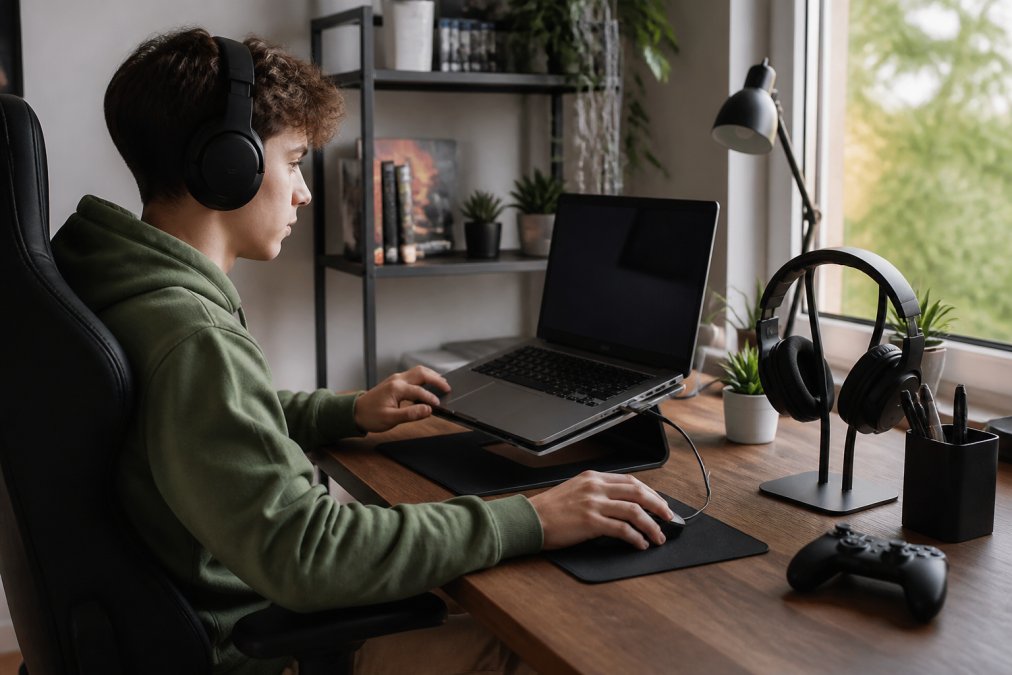
The buy order that actually works
- Mouse and keyboard. Your hands touch these every hour of play. A $13 mouse with a stable 2.4G connection beats a $60 mouse with a flaky one.
- Headset or earbuds. Audio tells you where threats are; a microphone tells teammates where you are. Wired wins at this tier.
- Desk surface and mouse pad. A consistent surface is the cheapest accuracy upgrade you can buy.
- Posture support. A stand, footrest, or chair cushion decides whether you can play for three hours or one.
- Lighting and aesthetics. Last, always. RGB does not win rounds.
Budget gaming desks: what $50-$150 actually buys
You do not need a 'gaming' desk. You need a flat, stable surface at the right height. Three realistic options:
- Existing table plus a monitor riser. A $20-$40 riser lifts your screen to eye level and creates storage underneath, the cheapest path most beginners should take first.
- Folding table (about $40-$70). Light, movable, and surprisingly stable. Watch the weight rating; a heavy monitor arm will flex the surface.
- Entry-level gaming desk (about $100-$150). You are paying for a cable tray, cup holder, and headphone hook. The cable tray is the only feature that changes daily life.
Cable management on a beginner budget
Cable clutter is not just ugly; a cable snagging your mouse mid-flick is a real performance problem. A complete kit costs under $20:
- Adhesive cable clips: $5-$8 a pack. Route mouse and keyboard cables along the back edge of the desk.
- Velcro straps: $6-$10. Bundle cables running from your PC to your monitor and desk.
- A single power strip with a switch: $10-$15. One switch kills the whole setup at night and prevents phantom draw.
Cooling: the part beginners forget
Heat is the quiet killer of budget builds: a throttling laptop drops frames, and so does a desktop with poor airflow. Three cheap fixes:
- Laptop stand or riser: $20-$45. Lifting the base improves intake airflow and drops surface temperatures during long sessions.
- A single 120mm case fan: $10-$15. Filling an empty front intake slot is the highest-value cooling upgrade you can make.
- Compressed air: $8-$12. Dust is the top cause of overheating in machines over a year old. Blow out the intakes every three to six months.
The hidden costs, in one place
The costs that catch people who budget only for the headline item:
- Cables and adapters: $10-$20 if your monitor or console needs a different connector.
- Mouse pads: A $10 pad extends mouse feet life by months.
- Replacement ear pads: Foam flattens in 12-18 months on budget headsets.
- Desk space: A laptop stand frees airflow but eats footprint.
- Software: Driver installation for macro keys and RGB control is usually free but time-consuming.
- Electricity and wear: Cheap wireless devices with always-on RGB drain batteries faster, meaning more charging cycles and a shorter lifespan.
Used and Refurbished Gear: How to Save Without Getting Burned
Refurbished gear is the fastest route to premium hardware on a beginner budget, but only if you know which categories survive resale well and which don't. A YouGov Profiles survey of American gamers found that purchase intent and considerations vary sharply by accessory category, and that variation matters when you're buying secondhand.
What holds up well used:
R36S Handheld Game Console 3.5Inch IPS →
- Mechanical keyboards: Switches are rated for tens of millions of presses; keycaps are replaceable
- Monitors: Panel degradation is slow; check for dead pixels and backlight bleed
- Laptop stands and desk accessories: Almost no wear items
What you should buy new:
- Headsets: Ear pads and headbands absorb sweat and degrade fast
- Mice: Switch failure is the most common fault, and it's invisible until it happens
- Anything with a lithium battery: Capacity fades, and replacements are often proprietary
Compatibility Checklist: Making Sure Your Cheap Gaming Accessories Work Together
Compatibility failures are the most common reason beginners return gear, and they are almost always preventable before checkout. Start with your platform, then run the checklist.
Step 1: Decide your platform before you buy anything
This decision determines every accessory that follows. The three realistic beginner paths:
- PC (desktop or laptop): The most flexible. Almost any USB or Bluetooth accessory works. You will need free USB ports, and you should confirm your OS version before ordering.
- Console (PlayStation or Xbox): Locked ecosystem. Controllers, headsets, and storage upgrades must match the console generation and model. A headset that works on PC may not carry microphone audio over a console's controller jack.
- Handheld or mobile: Bluetooth is your friend, but latency is your enemy. Earbuds and foldable keyboards pair easily; competitive shooters will feel the delay.
Step 2: Controller options for PC gaming
Beginners often assume a console controller is required. It is not, and the choice changes what games feel good:
- Keyboard and mouse: Best for first-person shooters, real-time strategy, and most competitive titles. No extra purchase needed if you already own a keyboard.
- Xbox-style controller: The de facto standard on Windows. Most PC games recognize it without configuration, and it is the safest pick for racing, sports, and third-person action games.
- PlayStation-style controller: Works on PC over USB or Bluetooth, but button prompts in some games default to Xbox labels, which confuses beginners.
- Budget third-party controllers: Often half the price, but check for a wired USB option. Cheap Bluetooth controllers are the most common source of input lag complaints at this tier.
Step 3: Run the checklist before checkout
- Operating system: Confirm the device lists your OS version. The wireless mouse supports Windows 2000 through 10 and Linux; the foldable keyboard supports Windows, Android, iOS, OS, and HMS.
- Connection type: Count your free USB ports. Wired headsets and 2.4G receivers both need one. A USB hub is a $10-$15 fix if you run out.
- Bluetooth version: The Portable Foldable Keyboard at $30.21 pairs with three devices at once, switching via Fn+1/2/3. Older Bluetooth versions on your PC can cause pairing drops.
- Power delivery: The keyboard charges at 5V 1A or 2A and runs 35 hours per charge. Match the charger to the spec; a higher-amperage charger is fine, a lower one will charge slowly or not at all.
- Console vs PC: A PS5 skin fits the Standard Disc Edition only. Check your model before ordering.
- Storage expansion: Console SSD upgrades need at least 5500MB/s read speed.
- Physical fit: Measure your desk depth and monitor height before buying a stand or riser. A stand that is too tall puts your screen above eye level and creates the neck strain you were trying to fix.
That storage point trips up more people than any other. The 2TB Rocket 4 Plus NVMe SSD at $699.32 delivers 7000MB/s read and 6600MB/s write, well above the 5500MB/s floor, and ships with a CNC aluminum heatsink that replaces the console's native cover for better cooling. It is the one item here that is not cheap, and is not meant to be.

What to Ignore When Buying Cheap Gaming Accessories
Most budget gear marketing pushes features that don't change how you play. Knowing what to ignore saves more money than any discount code.
Conclusion: Your First Setup Starts Here
Market projections put the gaming accessories sector on a path from USD 12.6 billion in 2026 to USD 26.17 billion by 2034, according to Fortune Business Insights, which means the budget tier will keep getting more competitive. That's good news for anyone starting out.
Frequently Asked Questions
What are the essential cheap gaming accessories for a beginner setup in 2026?
For a beginner setup, focus on four core items: a responsive mouse, a comfortable headset, a reliable keyboard, and a mousepad. The 2.4G Wireless Mouse at $12.94 offers 3-speed DPI and plug-and-play connectivity. The Gaming Headset Esports Package at $30.89 includes a wired headset and mouse with RGB lighting. A foldable keyboard at $30.21 adds portability. These cheap gaming accessories cover the basics without overspending.
How much should a beginner spend on gaming peripherals?
You can build a functional setup for under $100. The 2.4G Wireless Mouse costs $12.94, the Gaming Headset Esports Package is $30.89, and a Portable Foldable Keyboard is $30.21. That totals $74.04 before tax. The global gaming accessories market is valued at $14.39 billion in 2026, showing that affordable options are widely available. Start with these essentials and upgrade later as your needs grow.
Are cheap gaming accessories worth the investment?
Yes, if you choose wisely. Budget gear like the $12.94 wireless mouse offers 800/1200/1600 DPI settings and a rechargeable battery, covering core gaming needs. The $30.89 headset package includes 3D stereo sound and a noise-canceling microphone. These cheap gaming accessories deliver solid performance for beginners. Avoid unknown brands and check return policies. TechyDealy offers hassle-free returns with a full purchase price refund.
What features should I look for in affordable gaming mice and keyboards?
For mice, prioritize adjustable DPI (800-1600 is fine for beginners), a comfortable ergonomic shape, and reliable connectivity. The 2.4G Wireless Mouse has 6 buttons, RGB backlighting, and a honeycomb design for grip. For keyboards, look for anti-ghosting, tactile feedback, and plug-and-play setup. The Portable Foldable Keyboard supports Windows, Android, and iOS with a built-in touchpad. These features matter more than brand names when buying cheap gaming accessories.
How can I improve my gaming setup without breaking the bank?
Start with the highest-impact items: a responsive mouse and a clear headset. The $12.94 wireless mouse reduces cable clutter, while the $30.89 headset package provides immersive audio. Add a laptop stand like the Modulemaster at $45.35 for better ergonomics during long sessions. The global gaming gear market is projected to reach $46 billion by 2026, so budget-friendly options are plentiful. Focus on comfort and function, not flashy extras.