

Table of Contents
- Why Gaming PC Handhelds Matter in 2026
- Performance and Hardware Specifications
- Windows vs SteamOS Handhelds: What's the Real Difference
- Handheld Gaming PC Battery Life Comparison
- Display Quality, Ergonomics, and Portability
- How to Optimize Handheld PC Settings for Gaming
- Price-to-Performance: Finding Your Sweet Spot
- Conclusion: Making Your Gaming PC Handheld Choice
- Frequently Asked Questions
Last Updated: September 24, 2026
Why Gaming PC Handhelds Matter in 2026
The gaming PC handheld market exploded in 2025. According to Shane the Gamer's 2026 market analysis, 2.3 million units sold globally, representing a 32% year-over-year surge from 2024. That growth matters because it signals something fundamental has shifted: portable gaming at desktop-class performance is no longer a niche experiment. It's mainstream.
At TechyDealy, we've watched this category mature from a curiosity into a serious buying decision for millions of gamers, remote workers, and tech enthusiasts. The market is projected to hit 4.7 million units annually by 2029, with the broader handheld gaming sector valued at USD 12.9 billion in 2025 according to Global Market Insights, growing at a steady 3.3% CAGR through 2035.
But here's what most guides miss: the market is more crowded than ever, and choosing the right gaming PC handheld now requires understanding fundamental trade-offs between performance, battery life, operating system philosophy, and price. This guide cuts through the noise by breaking down what actually matters when you're deciding whether to buy one, and which type fits your needs.
Performance and Hardware Specifications
A gaming PC handheld's real-world performance depends on processor architecture, thermal design power (TDP), and thermal throttling under load.
Modern handhelds now operate at power draws as high as 120 watts, according to CES 2026 coverage. That's a dramatic jump from earlier models, and it directly impacts frame rates, game compatibility, and how hot the device gets in your hands. The trade-off is unavoidable: more power means better performance but shorter battery life and more heat dissipation.
The system-on-chip (SoC) determines what you can play. Current handhelds use AMD APUs or Qualcomm processors purpose-built for efficiency. Integrated graphics handle AAA gaming at 1080p, though demanding titles require lower settings or refresh rates.
Thermal throttling degrades performance when devices hit thermal limits. Better cooling solutions (vapor chambers, larger heatsinks, active fans) maintain performance during extended play.
| Performance Factor | What It Means | Why It Matters |
|---|---|---|
| TDP (Thermal Design Power) | Power consumption in watts | Higher TDP = better performance but shorter battery life |
| Processor Architecture | CPU/GPU design generation | Newer = more efficient at the same performance level |
| Thermal Solution | Cooling method (passive, active, vapor chamber) | Better cooling = sustained performance without throttling |
| RAM and Storage | Memory speed and SSD type | Faster storage reduces load times; more RAM handles complex games |
| Refresh Rate Support | 60Hz, 90Hz, 120Hz capability | Higher refresh = smoother gameplay but drains battery faster |
Windows vs SteamOS Handhelds: What's the Real Difference
This choice defines your entire software experience. It's not just about which operating system runs better, it's about ecosystem lock-in, driver support, and what games actually work without friction.
SteamOS handhelds, led by Valve's Steam Deck. SteamOS is purpose-built for gaming with Proton compatibility layers, fast boot times, and minimal OS interference. The downside: ecosystem lock-in limits productivity software and specialized tools.
Windows handhelds offer full application compatibility and ecosystem access, but at the cost of inconsistent driver support, worse battery drain, and OS interference designed for desktops, not handhelds.
SteamOS excels at gaming and battery efficiency; Windows is necessary only for productivity, creative tools, or specialized software.
Handheld Gaming PC Battery Life Comparison
Battery life requires understanding capacity, power draw under load, and charging mechanics to separate marketing claims from real-world performance.
Battery Capacity vs. Actual Playtime
Battery capacity (Wh) doesn't linearly correlate to playtime. A 50Wh efficient device may outlast an 80Wh power-hungry one, depending on device efficiency, workload, and OS overhead.
Under sustained AAA gaming at 1080p/60fps/Medium settings, playtime can vary significantly between operating systems and hardware configurations. Devices with optimized operating systems often show better battery efficiency.
High settings or 1440p reduce playtime 25-35%; ray tracing cuts it 40-50%. Dropping to 720p/Low extends SteamOS playtime to 6-8 hours.
Power Draw Under Load
Modern handhelds draw 8-15W during light use and 20-35W during AAA gaming. Power draw spikes when loading new areas, rendering complex scenes, or charging while gaming.
A device drawing 25W with a 50Wh battery has theoretical playtime of 2 hours, but real-world playtime is 1.5-1.8 hours due to battery discharge curve inefficiency.
Thermal Load and Battery Drain Relationship
Heat above 45°C triggers throttling, reducing both performance and battery life. Superior cooling maintains stable performance longer, improving battery life by avoiding throttling inefficiency.
Windows handhelds suffer inconsistent thermal management; driver overhead generates extra heat and forces earlier throttling.
Charging Speed and Real-World Implications
Handhelds charge via USB-C at 30W (1.5-2 hours), 45W (1-1.5 hours), or 65W (45-60 minutes) for a 50Wh battery. Fast charging can impact battery longevity; slower charging may help extend lifespan.
Pass-through charging allows gaming while plugged in, but sustained gaming while charging can impact battery lifespan due to elevated temperatures.
Battery Degradation and Longevity
Lithium-ion batteries degrade after 300-500 cycles. At one cycle daily, capacity can degrade over time; more frequent charging may accelerate this process.
Extend battery lifespan by avoiding full discharge, limiting charge to 80%, keeping the device cool while charging, and using slower charging speeds. Enable firmware battery health settings if keeping the device 2+ years.
Practical Battery Planning for Travel
With 3-4 hours per charge: day trips need one charge plus a 30W power bank; weekend trips need a 65W power bank; week-long travel needs the charger plus a 65W power bank. USB-C 65W power banks cost $30-60 and recharge the handheld in 1-1.5 hours.
Display Quality, Ergonomics, and Portability
Current handhelds use 5.5-7 inch IPS or OLED displays. OLED offers superior contrast and color but costs more and risks burn-in; IPS is proven and bright for outdoor use. Most use 60Hz for battery efficiency; premium models push to 90-120Hz at battery cost.
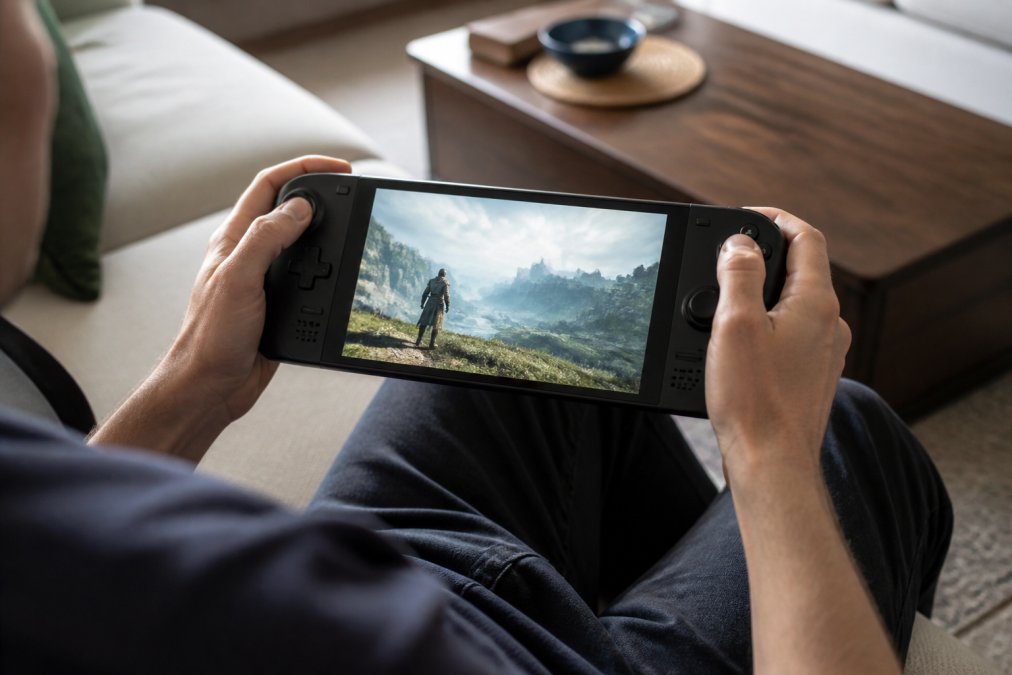
Aim for 500+ nits brightness for outdoor gaming.
How to Optimize Handheld PC Settings for Gaming
Maximizing gaming PC handheld performance requires understanding settings hierarchy and game-specific trade-offs.
Resolution and Upscaling: Your Biggest Lever
Refresh Rate and Frame Rate Targets
Shadow Quality, Texture Detail, and Ray Tracing
Windows-Specific Friction: Driver Updates and Background Processes
TDP Limits: Trading Performance for Battery Life
Game-Specific Optimization Examples
Price-to-Performance: Finding Your Sweet Spot
Price ranges from under $50 for retro handheld emulators to $800+ for high-end gaming PC handhelds. The category has stratified into distinct tiers.
| Price Tier | Performance Level | Best For | Example Use Case |
|---|---|---|---|
| Budget ($50-150) | Retro/Indie | Classic gaming nostalgia | Playing 8-bit and 16-bit games on the go |
| Mid-tier ($300-600) | AAA Gaming | Most users | Playing modern games at 60fps with balanced settings |
| Premium ($700+) | High-end AAA | Power users | 120fps gaming or professional creative work |
Conclusion: Making Your Gaming PC Handheld Choice
Choosing a gaming PC handheld comes down to three questions: What will you actually play? How long do you need to play between charges? And what's your budget?
Frequently Asked Questions
Which handheld PC is best for gaming in 2026?
The best gaming PC handheld depends on your priorities. Valve's Steam Deck excels at budget-conscious gaming. For retro gaming, the R36S Handheld Game Console ($49.18) offers 15,000+ games, a 3.5-inch IPS display, and 7-8 hours of battery life, ideal for portable, classic gaming without breaking the bank.
Are gaming PC handhelds worth buying compared to consoles?
Yes, if you value portability and versatility. The gaming PC handheld market grew 32% year-over-year in 2025, with 2.3 million units sold globally. Unlike fixed consoles, gaming PC handhelds let you play AAA titles, emulated classics, and cloud games anywhere. However, they typically cost more upfront and require optimization knowledge. For casual gamers, a console may be simpler; for those who travel or want flexibility, handhelds deliver console-quality performance in a pocket-sized form.
What should I look for in a gaming PC handheld processor?
Prioritize APUs (integrated CPU/GPU combos) with at least 8 cores and modern architecture, look for Ryzen 7 or Intel Core Ultra equivalents. Check TDP (thermal design power): 20-25W handles most games at 30-60 fps, while 40+ watts enables AAA gaming at higher settings. Verify the GPU can handle your target resolution (1280x800 or higher) and refresh rate (60+ Hz). Integrated graphics are standard; dedicated GPUs are rare in handhelds. Cross-reference real-world performance benchmarks for specific games you plan to play.
Can handheld PCs run modern AAA games?
Yes, with settings adjustments. Most current gaming PC handhelds run AAA titles like Cyberpunk 2077, Baldur's Gate 3, and Elden Ring at 30-60 fps when you reduce resolution, lower graphical detail, and enable dynamic resolution scaling. Performance depends on the device's processor and VRAM. Windows-based handhelds often require more manual optimization than Steam Deck, which benefits from SteamOS's native game support. Budget models like the R36S focus on retro games and indie titles instead of demanding AAA releases.
How does battery life compare across gaming handhelds?
Battery life ranges from 4-10 hours depending on the device and usage. The R36S Handheld Game Console delivers 7-8 hours of playtime with its 3200mAh battery, ideal for retro gaming. High-performance Windows handhelds typically achieve 4-6 hours under full load, though lighter gaming or streaming extends this. Steam Deck manages 5-8 hours depending on game intensity. To maximize battery life, lower brightness, reduce refresh rate, disable background apps, and play less demanding titles. Carry a USB-C power bank ($30-60) for extended sessions away from outlets.
The gaming PC handheld market has matured into a legitimate gaming platform. Whether you're seeking retro nostalgia or cutting-edge portable performance, TechyDealy carries the devices that define this category. Shop our curated selection of gaming handhelds and accessories with complimentary ground shipping and hassle-free returns on every order. Experience smarter gaming with TechyDealy.