

Table of Contents
- Start With a Baseline: What Every 2026 Gaming Build Needs
- How to Balance CPU and GPU for Gaming
- Memory and Storage: 16GB vs 32GB RAM and NVMe SSDs
- Gaming PC Power Supply Requirements Explained
- Use a Gaming PC Component Compatibility Checker Before You Buy
- Budget Tiers: What to Spend at Every Price Point
- Peripherals and Accessories That Complete Your Build
- Frequently Asked Questions
Last Updated: September 11, 2026
Start With a Baseline: What Every 2026 Gaming Build Needs
Learning how to choose gaming hardware components starts with one rule: match the part to the workload, not the marketing. According to FlowUp's 2026 gaming PC components guide, 16GB of RAM is the minimum for comfortable gaming, and the baseline build that HP's 2026 gaming specs guide recommends pairs a capable GPU with a well-matched CPU, at least 16GB of DDR5 memory, and a fast NVMe SSD.
Here's what most guides get wrong: they rank parts by price instead of by balance. A $600 GPU behind a weak CPU bottlenecks itself. Rigorous compatibility research matters more than raw specs, a point CDW's 2026 build guidance makes clearly. Below, we break down each component, the compatibility checks that prevent dead builds, and what to spend at every budget tier.
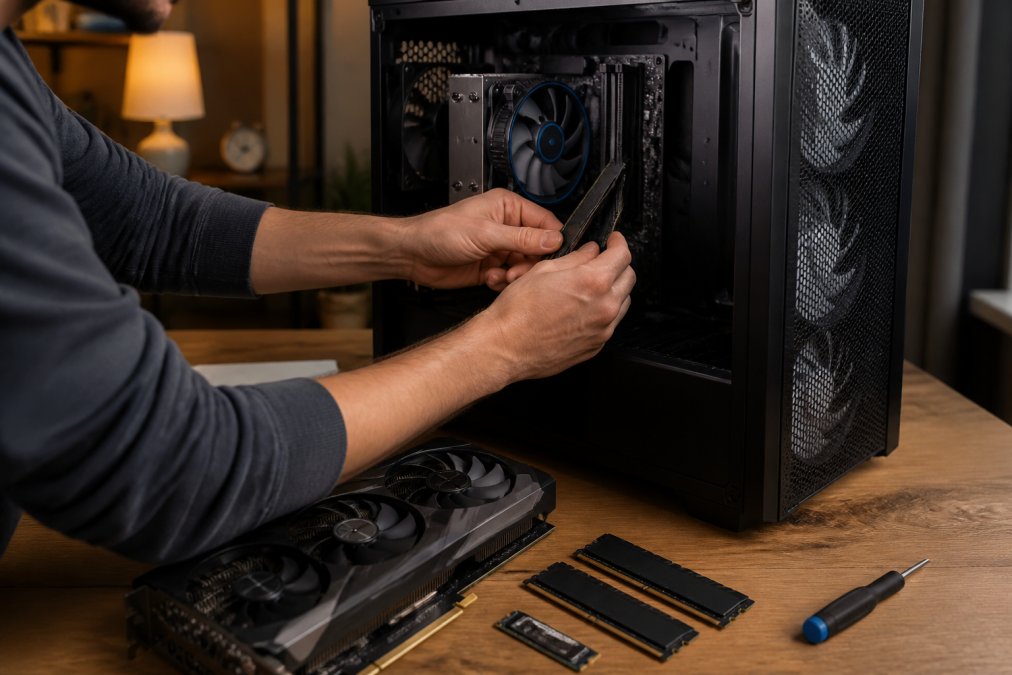
How to Balance CPU and GPU for Gaming
The GPU sets your frame rate; the CPU sets the ceiling the GPU can reach. Pairing a top-tier graphics card with a budget processor wastes money, because the CPU can't feed frames fast enough.
Balance the two like this:
- Match GPU tier to CPU tier: mid-range card with mid-range chip
- Spend roughly 40-50% of the build budget on the GPU
- Step up the CPU only if you stream or run heavy background tasks
- Check PCIe generation support on both the board and the card
A common mistake is buying the fastest GPU first and fitting everything else around it. In practice, that produces a lopsided build that stutters under CPU-bound loads like simulation and strategy games.
Memory and Storage: 16GB vs 32GB RAM and NVMe SSDs
Memory and storage decide how smoothly a build runs day to day. For 2026, 16GB of DDR5 RAM covers gaming, while FlowUp's 2026 recommendations call for 32GB if you stream or create content while playing. The July 2026 Steam Hardware Survey, reported by Wccftech's hardware coverage, showed 16GB graphics cards overtaking 8GB models, a sign that capacity expectations keep climbing.
Why DDR5 Is Now the Standard
DDR5 is the current memory standard for high-performance gaming builds, per iBUYPOWER's 2026 features guide. It offers higher bandwidth than DDR4 and pairs with current-generation motherboards. Buying DDR4 now means limiting your upgrade path.
NVMe SSD Storage for Faster Load Times
NVMe SSD storage is the standard for modern gaming performance (HP's 2026 hardware guide). It cuts load times dramatically versus older drives. For a fast, reliable option, the 2TB Rocket 4 Plus NVMe Gen4 SSD with heatsink delivers Gen4 speeds and thermal control in one package.

Gaming PC Power Supply Requirements Explained
Gaming PC power supply requirements come down to one calculation: total system draw plus overhead. The GPU is the largest variable in power consumption, so it drives the wattage you need (CANYON's 2026 buying guide).
Estimate it in three steps:
- Add up the rated wattage of the CPU, GPU, drives, and fans
- Add 30-40% headroom for transient spikes
- Choose an 80 Plus rated unit at or above that total
Use a Gaming PC Component Compatibility Checker Before You Buy
A gaming PC component compatibility checker verifies that your chosen parts physically and electrically work together before you spend a cent. It catches socket mismatches, RAM generation conflicts, and clearance issues that specs pages bury.
Check these four things every time:
- CPU socket matches the motherboard chipset
- RAM type matches the board (DDR5 board needs DDR5)
- GPU length fits inside the case
- PSU wattage covers total draw with headroom
Budget Tiers: What to Spend at Every Price Point
Gaming PC build budgets run from about $800 into high-end territory (Tom's Hardware's 2026 build guide). The tier you pick changes where the money should go, not just how much you spend.
| Tier | Typical Spend | Priority | Best For |
|---|---|---|---|
| Entry | ~$800 | Strong GPU, 16GB DDR5 | 1080p gaming |
| Mid-range | ~$1,200-$1,500 | Balanced CPU/GPU, NVMe | 1440p gaming |
| High-end | $2,000+ | 32GB DDR5, top GPU, cooling | 4K and streaming |
At every tier, the same rule holds: balance beats brute force. A mid-range build with matched parts outperforms a lopsided high-end one in real gameplay.
Peripherals and Accessories That Complete Your Build
Peripherals are where a build becomes a setup, and they're the parts you touch every session. A reliable mouse, a clear headset, and comfortable input devices matter as much as the internals.
- The 2.4G wireless RGB gaming mouse offers three DPI speeds and a rechargeable battery for $12.94.
- The RGB gaming headset with mic adds full RGB lighting and inline volume control for $30.89.
- The foldable Bluetooth keyboard with touchpad suits portable and couch setups.
Buy peripherals from a seller with a real return policy.


Frequently Asked Questions
What are the most important components for a gaming PC?
The GPU, CPU, RAM, storage, and power supply matter most. For 2026 builds, aim for at least 16GB of DDR5 RAM and an NVMe SSD as your baseline, per HP and iBUYPOWER guidance. The GPU usually drives gaming performance, while the CPU keeps frame rates stable. A PSU sized to your total power draw, with the GPU as the largest variable, keeps everything running safely.
How do I ensure my gaming PC parts are compatible?
Check three things before buying: CPU socket matching the motherboard chipset, RAM type (DDR5 vs DDR4) supported by that board, and physical clearance for your GPU and cooler inside the case. A gaming PC component compatibility checker flags mismatches automatically. CDW cautions that picking high-performance parts alone is not enough; rigorous compatibility research prevents build failure.
How much should I spend on a gaming PC build?
Budget tiers for gaming PC builds range from $800 to high-end configurations, according to Tom's Hardware's 2026 guide. At the entry level, prioritize the GPU and a 16GB DDR5 kit. Mid-range builds add a faster CPU and 32GB of RAM if you stream. High-end builds pair a top GPU with efficient cooling and a larger NVMe SSD.
Do I need a high-end power supply for my gaming build?
You need a PSU sized correctly, not necessarily the most expensive one. Calculate your total system power draw first, since the GPU is the largest variable, then choose wattage with overhead, per CANYON's 2026 buying guide. A quality unit from a known brand at the right wattage protects your components better than an oversized cheap unit.
What is the difference between a CPU and a GPU for gaming?
The GPU renders the graphics you see, handling most of the workload in modern games. The CPU manages game logic, physics, and background tasks. Balancing the two matters: a weak CPU bottlenecks a strong GPU, and vice versa. Match tiers so neither component holds the other back during gameplay.
How do I choose the right case for my gaming hardware?
Measure your GPU length and CPU cooler height first, then pick a case with clearance to spare. Check airflow: mesh front panels move more air than solid glass. Confirm the case supports your motherboard form factor and has enough fan mounts. A well-ventilated case keeps DDR5 and NVMe drives running at safe temperatures.
Choosing gaming hardware components gets overwhelming fast, especially when a single incompatible part can stall an entire build. TechyDealy removes that friction with a curated selection of gaming gear and components, complimentary ground shipping on every order, and hassle-free returns with a full purchase price refund. Our team focuses on reliable, high-quality tech so you can build with confidence. Get started with TechyDealy and assemble a setup that runs exactly the way you planned.