

Table of Contents
- Why Ergonomic Office Accessories Matter for Your Home Setup
- Benefits of Ergonomic Office Equipment for Remote Workers
- Essential Ergonomic Office Accessories You Need
- Building Your Ergonomic Workstation Setup Guide
- Uninterruptible Power Supply and Desk Essentials
- Budget-Friendly Ergonomic Hacks That Work
- Choosing the Right Accessories for Your Needs
- Conclusion
Last Updated: August 20, 2026
Why Ergonomic Office Accessories Matter for Your Home Setup
The ergonomic products market reached $8.91 million in 2024 and is expected to grow to $15.75 million by 2033, expanding at 7.37% annually. This reflects a fundamental shift: remote workers are investing in physical comfort. If you spend six to ten hours daily at a desk, your body is keeping score. Ergonomic office accessories aren't just about comfort, they protect your long-term health while boosting productivity.
More than 70% of people report discomfort from prolonged sitting, including musculoskeletal issues, repetitive strain injury, neck tension, and lower back pain. These aren't minor inconveniences; they're productivity killers that compound over months and years. Yet most home office setups are makeshift: laptops balanced on books, keyboards at wrong heights, chairs not designed for eight-hour workdays.
Benefits of Ergonomic Office Equipment for Remote Workers
Proper ergonomic equipment aligns your workstation with your body's biomechanics. Your neck stops straining, your wrists stop aching, and your lower back gets proper support. Companies investing in ergonomic furniture report a 67% decrease in absenteeism due to musculoskeletal disorders and a 24% increase in employee satisfaction.
Sit-stand desks help users reduce sitting time by 60 to 130 minutes daily, a significant shift given the health risks of prolonged static posture. Ergonomic mice alone cut repetitive strain injury risk by up to 60%. These are measurable improvements that prevent chronic pain.
Beyond physical health, ergonomic setup drives cognitive performance. When your body isn't fighting discomfort, your brain has more resources for actual work. Proper monitor positioning reduces eye strain and headaches. Correct keyboard and mouse placement prevents the constant micro-tensions that drain focus. A supportive chair with proper lumbar support lets you concentrate for hours without fatigue.
Essential Ergonomic Office Accessories You Need
The right combination of accessories creates a workstation that supports neutral posture, where your spine, neck, and shoulders align naturally without strain. Start with accessories addressing your specific pain points.
Laptop Stands and Monitor Arms for Eye Level Alignment
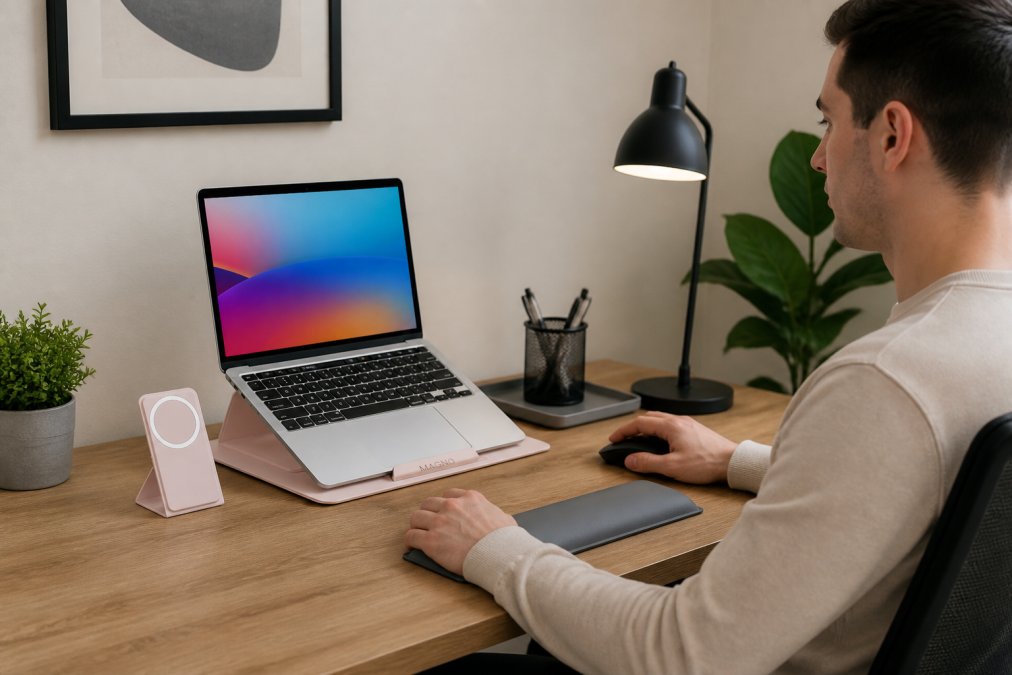
A laptop sitting flat on your desk forces your neck into a permanent forward bend, causing chronic pain. The fix is simple: elevate your screen to eye level. When your monitor sits at eye height, your neck stays neutral and your gaze naturally falls on the upper third of the screen, the ergonomic sweet spot.
The Modulemaster Laptop Stand from TechyDealy ($45.35) provides adjustable height for customizable positioning, reducing neck and eye strain. For external monitors, a monitor arm offers more flexibility, positioning the top of your screen at or slightly below eye level, about 20 to 26 inches from your face. Monitor arms also solve cable management by routing wires cleanly beneath your desk. Eye level alignment is the foundation of every ergonomic setup.
Ergonomic Mice and Keyboards for Wrist Health
A standard mouse forces your wrist into an unnatural angle, creating tension that accumulates into repetitive strain injury. An ergonomic mouse supports your wrist in a neutral position, reducing strain on tendons and nerves.
TechyDealy's 2.4G Wireless Mouse with RGB Backlit 6-Button 3-Speed DPI ($12.94) features an ergonomic honeycomb design that fits your hand's contour, reducing palm pressure. The wireless design eliminates cable constraints, and the rechargeable battery eliminates constant replacements. The 3-speed DPI adjustment lets you switch between precision work and faster navigation.

The Portable Foldable Folding Keyboard from TechyDealy ($30.21) offers wireless Bluetooth connectivity with 81 keys and a built-in touchpad, ideal for flexible work arrangements. Its compact design doesn't sacrifice functionality.
Desk Organization and Cable Management
A cluttered desk creates tripping hazards and forces awkward reaching positions. The Gold Desk Organizer Set from TechyDealy ($51.02) includes a mail sorter, sticky note holder, pen cup, magazine holder, letter tray, and business card holder, keeping your desk surface clear and organized.
The Power Bar with USB from TechyDealy ($20.09) consolidates charging needs in one location. With 4 outlets and 3 USB ports on a 5-foot cord, it reduces cables snaking across your desk. The flat plug design fits behind furniture, and overload protection keeps your devices safe.
Building Your Ergonomic Workstation Setup Guide
Creating an ergonomic workstation requires intention. Start by assessing what you have, then position each element correctly.
Assessing Your Current Workspace
Spend a day noticing where pain occurs. Does your neck hurt by afternoon? Your wrists ache after typing? Your lower back feel strained by evening? These signals tell you exactly where your setup is failing.
Measure your desk height. Standard desks are 28 to 30 inches tall. Measure from your elbow to the floor when your arms hang naturally. Your desk should be approximately one inch lower than that measurement. Check your chair for lumbar support and whether you can adjust the seat height so your feet rest flat and your thighs are parallel to the ground.
Positioning for Neutral Posture
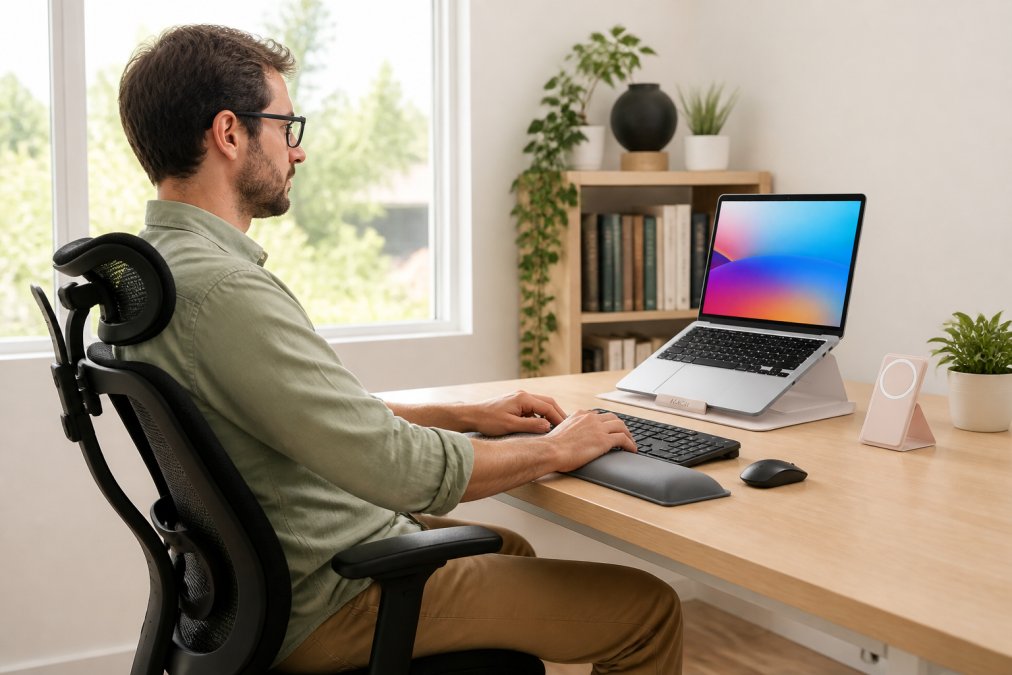
Your monitor should sit directly in front of you at arm's length away, about 20 to 26 inches. The top of the screen should be at or slightly below eye level. Your keyboard and mouse should sit at elbow height with wrists straight and floating above the keyboard. Your chair height should position your feet flat on the floor with thighs parallel to the ground. If your feet don't reach the floor, use a footrest. The Heated Neck & Spine Massager from TechyDealy ($70.99) provides relief during breaks with 4 dynamic massage heads targeting neck and shoulder stiffness.
Ergonomic Setup for Small Spaces
Limited space requires strategic choices. A wall-mounted monitor arm eliminates the need for a monitor stand. A compact keyboard takes up minimal space but delivers full functionality. A vertical desk organizer uses wall space instead of desk surface. Consider a standing desk converter instead of a full standing desk, significantly cheaper and taking up less space. In small spaces, a good chair and proper monitor positioning are non-negotiable.

Uninterruptible Power Supply and Desk Essentials
An uninterruptible power supply (UPS) protects your work from unexpected power loss. For remote workers, this is critical. The Power Bar with USB from TechyDealy ($20.09) consolidates your charging infrastructure with 4 AC outlets and 3 USB ports. Overload protection keeps your devices safe.

Beyond power management, proper lighting is essential. Position your monitor perpendicular to windows to avoid glare. A desk lamp with adjustable brightness reduces eye strain. Keep water within arm's reach, dehydration impairs focus and increases fatigue.
Budget-Friendly Ergonomic Hacks That Work
You don't need thousands to create an ergonomic setup. Start with accessories addressing your biggest pain point. A $45 laptop stand solves neck pain. A $12.94 ergonomic mouse addresses wrist aches.
For monitor elevation on a budget, stack books until your monitor reaches eye level. For a footrest, use a small ottoman or stack of books. A rolled-up towel behind your lower back provides temporary lumbar support. Cable ties and clips cost a few dollars and transform tangled cables into organized ones. Start with budget hacks addressing immediate pain, then upgrade strategically as your budget allows.
Choosing the Right Accessories for Your Needs
The best ergonomic accessories are ones you'll actually use consistently. A comparison table helps clarify your options.
| Accessory Type | Primary Benefit | Best For | Price Range |
|---|---|---|---|
| Laptop Stand | Neck strain relief | Laptop-only workers | $30-$60 |
| Monitor Arm | Eye level alignment | Multi-monitor setups | $50-$150 |
| Ergonomic Mouse | Wrist health | Daily mouse users | $12-$80 |
| Ergonomic Keyboard | Carpal tunnel prevention | Heavy typists | $30-$150 |
| Desk Organizer | Clutter reduction | Visual clarity | $30-$60 |
| Power Bar with USB | Cable consolidation | Multiple devices | $15-$30 |
| Footrest | Posture support | Shorter users | $20-$100 |
Identify your primary pain point. Does your neck hurt? Prioritize monitor positioning. Do your wrists ache? Invest in an ergonomic mouse and keyboard. Does your back feel strained? A better chair is your first purchase. Consider your workspace constraints and budget, but don't let budget override ergonomics. View ergonomic accessories as preventive health spending.
Creating an ergonomic home office setup transforms how you work and feel. The research is clear: proper positioning reduces pain, increases productivity, and prevents long-term musculoskeletal damage. Start with accessories addressing your biggest pain point, then build from there. At TechyDealy, we've curated ergonomic office accessories designed to support your health and productivity. Shop our essential ergonomic accessories today with complimentary ground shipping and hassle-free returns on every order.
Frequently Asked Questions
What are the most important ergonomic office accessories to order first?
Start with three essentials: a laptop stand or monitor arm to position your screen at eye level, an ergonomic mouse to reduce wrist strain, and a keyboard that supports neutral wrist positioning. These address the biggest pain points for remote workers. Ergonomic mice alone can cut repetitive strain injury risk by up to 60%. Add a desk organizer to reduce clutter and improve workflow efficiency once your primary setup is in place.
How do ergonomic office accessories improve productivity?
Proper ergonomic office equipment reduces musculoskeletal pain, fatigue, and distraction. Studies show that companies investing in ergonomic furniture see a 67% decrease in absenteeism due to musculoskeletal disorders and a 15% increase in productivity. When your body isn't in pain, you focus better, work longer without breaks, and maintain mental clarity throughout the day. Better posture also improves breathing and blood flow, boosting energy levels.
Can I set up an ergonomic workstation in a small space?
Yes. Prioritize a compact laptop stand and a wireless ergonomic mouse to save desk space. Use vertical storage with a desk organizer to keep cables and supplies off the work surface. A foldable keyboard can provide ergonomic benefits without taking up permanent space. Wall-mounted shelves or monitor arms that clamp to the desk edge maximize usable area. Even in tight quarters, proper positioning of your screen and input devices matters more than having a large desk.
What's the connection between an uninterruptible power supply and ergonomic office accessories?
An uninterruptible power supply (UPS) protects your ergonomic setup investment by preventing data loss and equipment damage from power surges or outages. A quality desktop power strip with USB ports and overload protection keeps your laptop, monitor, keyboard, and mouse powered safely. It also reduces cable clutter when you consolidate multiple devices into one charging station, supporting the cable management and desk organization that complete a functional ergonomic workstation.
This article was written using GrandRanker