

Table of Contents
- Quick Comparison: Best Budget Smart Home Gadgets 2026
- Smart Home Devices Under $50 That Deliver Real Value
- Wireless 2K Outdoor Solar Security Camera: No Monthly Fees
- Waterproof Smart Lock: Keyless Entry for Sliding Doors
- MOMAX PinGuard: Tracker and Hidden Camera Detector
- How to Set Up Smart Home Devices Without the Headache
- Best Smart Home Ecosystem for Beginners: Matter and Beyond
- Conclusion: Building a Budget Smart Home That Lasts
- Frequently Asked Questions
Last Updated: September 23, 2026
Quick Comparison: Best Budget Smart Home Gadgets 2026
The best budget smart home gadgets 2026 buyers are choosing don't cost a fortune. According to Reviews.org's smart home device statistics, smartphones (94%) and smart TVs (68%) remain the most widely owned connected devices, with smart thermostats (31%) and robot vacuums (24%) close behind. At TechyDealy, we've watched the "budget" label stop meaning cheap and start meaning smart spending. Below, we break down what actually delivers value, which gadgets are worth your money, and how to avoid the compatibility traps that ruin most first setups.
| Gadget | Price | Best For | Monthly Fees |
|---|---|---|---|
| Wireless 2K Solar Security Camera | $138.38 | Outdoor monitoring | None |
| Waterproof Smart Lock | $143.99 | Sliding-door entry | None |
| MOMAX PinGuard | $93.99 | Travel privacy | None |
| Power Bar with USB | $20.09 | Desk charging | None |
Smart Home Devices Under $50 That Deliver Real Value
Smart home devices under $50 are where most people should start. Security.org's smart home guide highlights smart bulbs, smart plugs, and smart thermostats as the top money-saving categories for 2026, and we agree. These devices are simple, cheap to run, and easy to move between rooms.

Wireless 2K Outdoor Solar Security Camera: No Monthly Fees
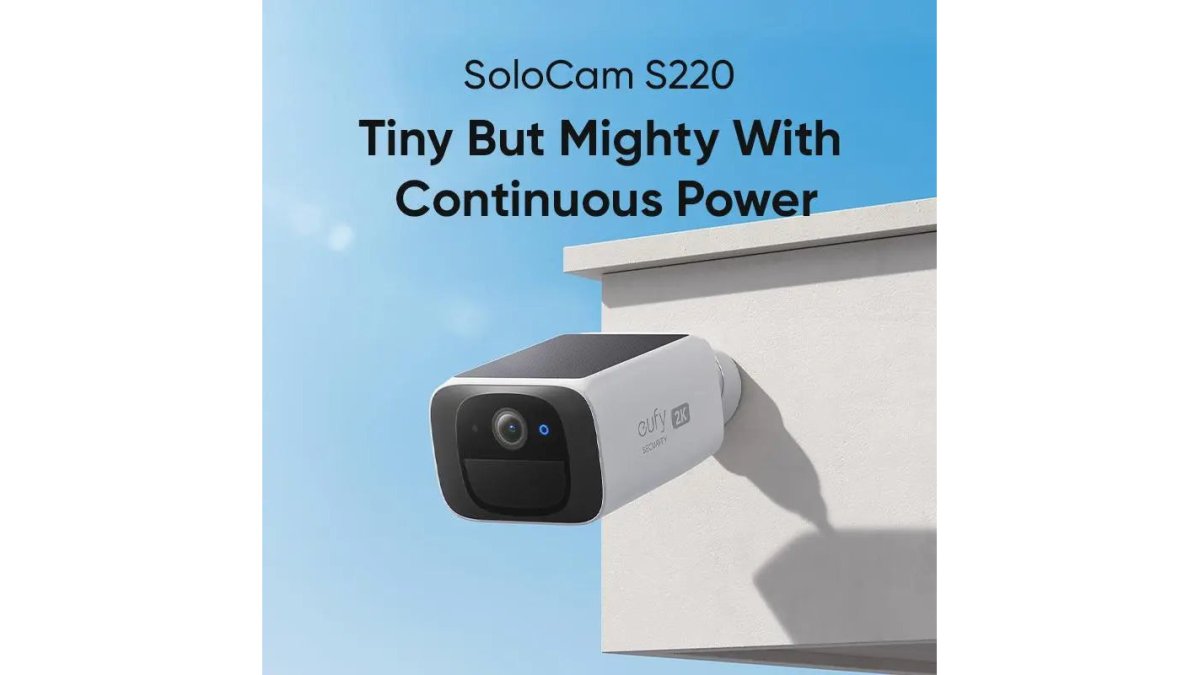
The Wireless 2K Outdoor Solar Security Camera is the best budget pick for outdoor monitoring because it skips the subscription trap entirely. At $138.38, it delivers 2K resolution, solar power, and a weatherproof build with no recurring fees.
Waterproof Smart Lock: Keyless Entry for Sliding Doors
The Waterproof Smart Lock is the pick for anyone tired of hiding a key under a mat. At $143.99, it handles fingerprint, password, RFID card, and TTLock app entry, and it's built to survive outdoor sliding doors.

MOMAX PinGuard: Tracker and Hidden Camera Detector
The MOMAX PinGuard is a two-in-one privacy gadget that most budget lists ignore. At $93.99, it pairs Apple Find My tracking with a red-light hidden camera detector.

How to Set Up Smart Home Devices Without the Headache
Setting up smart home devices is simpler than most people fear, but the order matters, and so does knowing where budget hardware typically fails. Follow this sequence to avoid re-pairing everything later:
- Confirm a strong 2.4 GHz Wi-Fi signal at the device's final location, not where you unbox it
- Choose your hub or ecosystem before buying devices
- Install the manufacturer app and create your account
- Pair devices one at a time, not all at once
- Name each device clearly in the app
- Build your first automation routine
- Test every trigger before adding more devices
The 2.4 GHz trap that breaks most budget devices
Nearly every budget smart plug, bulb, and camera ships with a 2.4 GHz-only radio. If your router broadcasts one merged network name for both 2.4 GHz and 5 GHz bands, the device may fail to pair or drop offline after a day. The fix is unglamorous: log into your router, split the bands into separate SSIDs (for example, Home-2.4 and Home-5), and connect budget devices to the 2.4 GHz name only.
Pairing order that prevents re-work
A common pattern among budget setups is pairing the hub or bridge first, then the devices closest to it, then working outward. If you pair a far-away device first and it drops, you'll assume the device is faulty when the real issue is signal. Pair the nearest device, confirm it holds for 24 hours, then move outward.
When a device won't pair, run this checklist
- Wrong band: Confirm the phone running the app is on the same 2.4 GHz network as the device.
- Bluetooth handoff: Many budget devices use Bluetooth for initial pairing, then switch to Wi-Fi. Keep the phone within a few feet during setup.
- App permissions: Deny location or local-network access and some apps silently fail to discover devices. Grant both during setup, then review later.
- Factory reset: If a device was returned or previously paired, hold the reset button until the LED blinks, usually 5-10 seconds, before retrying.
- Router security mode: Older budget chips sometimes fail on WPA3-only networks. Temporarily enabling WPA2/WPA3 mixed mode resolves most of these cases.
Installation reality check by device type
- Smart plugs and bulbs: 5-10 minutes each, no tools. The only real risk is the 2.4 GHz trap above.
- Video doorbells: 20-40 minutes. You'll likely need to kill power at the breaker and may need a transformer rated for the doorbell's voltage.
- Smart locks: 30-60 minutes for a deadbolt swap; longer for mortise hardware. Budget for a handyman if you're not comfortable with the existing strike plate alignment.
- Thermostats: 20-30 minutes, but check for a C-wire first. Without one, many budget thermostats need a power adapter kit sold separately.
Total Time: 45-60 minutes for a starter setup; 2-4 hours if you're mixing locks, doorbells, and a thermostat. Difficulty: Beginner for plugs and bulbs; intermediate for locks and thermostats.
Best Smart Home Ecosystem for Beginners: Matter and Beyond
The best smart home ecosystem for beginners in 2026 is Matter, and it isn't close. Matter is a connectivity standard that lets devices from different brands work together without proprietary bridges. But "Matter-certified" on a box doesn't guarantee the feature you actually want will work across brands, and that gap is where most budget setups quietly fall apart.
Wireless 2K Outdoor Solar Security →
What Matter actually solves
Before Matter, you often needed one brand's hub for lights and another for locks. A Matter-certified device can join your existing setup, and a Matter controller, which can be a speaker, a hub, or even some routers, acts as the bridge. The practical win for budget buyers: you can mix a cheap Matter bulb with a mid-range Matter plug and control both from one app.
What Matter does NOT solve
Matter standardizes basic commands (on/off, dim, lock/unlock, temperature). It does not standardize advanced features. A budget Matter bulb may expose brightness in one app but not color temperature in another. A Matter lock may report lock/unlock status but not battery level. Before buying, check the manufacturer's spec sheet for which Matter "device types" and clusters it supports, not just the Matter logo.
Making mismatched ecosystems talk without a hub
If you're not ready to commit to a hub, this is the interoperability path most guides skip:
- Pick one primary app as your control surface. Google Home, Apple Home, and Amazon Alexa all accept Matter devices from other brands. Choose the one tied to the phone you actually carry.
- Use Matter for the devices that support it. Pair each Matter device directly to your primary app, no manufacturer app required after setup.
- For non-Matter devices, use the manufacturer app as a bridge. Many budget brands (smart plugs, robot vacuums, cameras) still require their own app. Keep those apps installed but don't rely on them for daily control.
- Bridge the gaps with routines, not hubs. If a non-Matter device can't be added to your primary app, use its own app to trigger actions, and use your primary app for everything else. You'll have two apps, not five.
- Accept the limits. Cross-brand automations like "if my cheap camera sees motion, turn on my cheap bulb" often require a hub or a paid service. If that's a must-have, budget for a hub from the start.
Ecosystem trade-offs for budget buyers
- Apple Home: Strongest privacy posture; requires an Apple TV, HomePod, or iPad as a home hub for remote access. Best if you already own Apple devices.
- Google Home: Broadest device support and the most forgiving with budget hardware. Privacy controls are solid but less strict than Apple's.
- Amazon Alexa: Widest budget-device compatibility and frequent sales on Echo hardware. Ad-supported prompts appear on some devices.
- Samsung SmartThings: Best for mixing Matter and older Zigbee/Z-Wave devices, but the app has a steeper learning curve.
Security.org's platform comparison notes that some users choose HomeKit specifically for its privacy features. If you're deep in the Apple ecosystem, that's a reasonable trade-off, just budget for the hub hardware.
Conclusion: Building a Budget Smart Home That Lasts
The challenge with any budget smart home is resisting the urge to buy everything at once. Start with one ecosystem, add devices that solve a real problem, and skip anything with a mandatory subscription.
Frequently Asked Questions
What are the most essential budget smart home gadgets in 2026?
Start with a smart plug or smart bulb, which cost under $30 and deliver immediate scheduling and voice control. Add a video doorbell or outdoor camera for security, and a smart thermostat if you want energy savings. According to Reviews.org (2026), smart thermostats are already in 31% of homes, while robot vacuums sit at 24%. These core devices give you automation and remote monitoring without a large upfront spend.
How do I set up smart home devices without spending hours troubleshooting?
Before buying, check that each device supports the same ecosystem, like Matter or a major voice assistant. Set up your Wi-Fi router on a 2.4 GHz band for most budget gadgets, since many do not support 5 GHz. Download the manufacturer's app, create an account, and pair one device at a time. If a device will not connect, restart your router and move the device closer during pairing. Most issues come from network band mismatches or outdated firmware.
What is the best smart home ecosystem for beginners on a tight budget?
Matter is the strongest choice for beginners in 2026 because it works across Amazon Alexa, Google Home, and Apple HomeKit, so you are not locked into one brand. Security.org (2026) identifies Matter as a top-tier platform for cross-platform compatibility. For privacy-focused users, Apple HomeKit offers strong encryption. Start with a Matter-compatible smart plug and build from there, adding devices as your budget allows.
Can budget smart home gadgets work together without a hub?
Many budget devices connect directly to Wi-Fi and work without a separate hub, including the Wireless 2K Outdoor Solar Security Camera and the Waterproof Smart Lock. However, some devices like certain smart locks and sensors use Bluetooth or Zigbee, which may need a hub for remote access. Check the product listing for hub compatibility before buying. If you want to avoid hubs entirely, prioritize Wi-Fi and Matter-certified devices.
How much can I save with budget smart home devices compared to premium brands?
Budget options often cost 40-60% less than premium equivalents while covering the same core functions. For example, a budget smart plug at around $10 handles scheduling and voice control just like a $25 name-brand model. The main trade-offs are fewer integrations and shorter warranties. For most users, the savings outweigh the missing extras, especially when you start with one or two devices and expand later.