

Table of Contents
- Why Smart Home Automation Kits Matter in 2026
- Security & Surveillance: The Dominant Smart Home Category
- How to Set Up Smart Home Devices for Beginners
- Smart Home Compatibility Guide: Making Devices Work Together
- Essential Components: Hubs, Voice Assistants, and Mesh Networks
- Where to Buy Smart Home Automation Kits Online
- Common Pitfalls and How to Avoid Them
- Conclusion
Last Updated: August 21, 2026
Why Smart Home Automation Kits Matter in 2026
The U.S. smart home market reached $27.8 billion in 2024 and is projected to grow to $65.6 billion by 2032 at an 11.5% compound annual growth rate. More than half of all U.S. households, approximately 77.05 million homes, now actively use at least one smart home device. This is mainstream infrastructure.
What most guides miss: online purchasing accounts for 52.60% of all smart home product sales in 2025, driven by DIY deployments controlling 67.35% of the market. Homeowners are ordering kits and installing them themselves rather than waiting for contractors.
At TechyDealy, we've tracked this shift closely. The real challenge isn't installation, it's compatibility. You can buy a camera from one brand, a lock from another, and a thermostat from a third, but will they work together? That's the question keeping buyers up at night.
Below, we'll show you how to select the right smart home automation kits, avoid compatibility traps, and build a system that scales without requiring a computer science degree.
Security & Surveillance: The Dominant Smart Home Category
Security and access control command over 28% of the entire smart home market share. Homeowners prioritize safety above convenience: four in five seniors now possess at least one connected device to support independent living, often starting with security systems.
The category breaks into three segments: video surveillance (outdoor cameras with local storage or cloud backup), smart locks (keyless entry via fingerprint, mobile app, or PIN), and sensor arrays (monitoring doors, windows, and motion).
American Home Shield's 2025 smart home survey reveals that 57% of Americans express concern about data privacy in smart home systems, and 46% specifically fear hacking of security devices. Buyers increasingly prefer systems offering local processing, where footage or access logs stay on your home network rather than uploading to cloud servers.
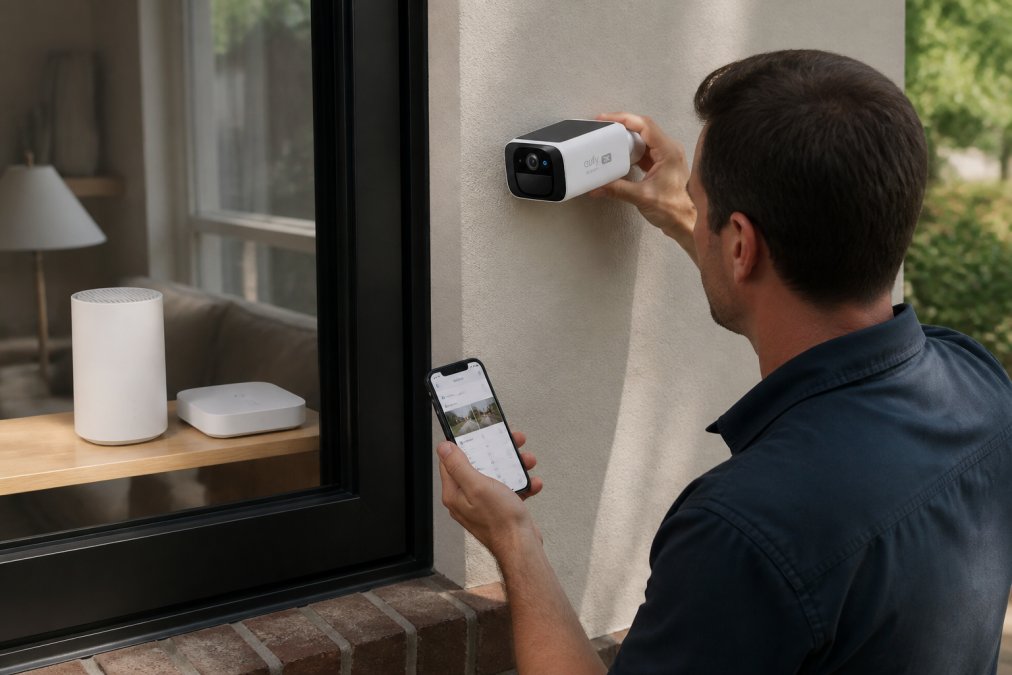
The Wireless 2K Outdoor Solar Security Camera from TechyDealy ($138.38) exemplifies this category. Solar-powered for continuous operation, weatherproof, and accessible via mobile app for remote monitoring, it covers essential surveillance without requiring monthly subscription fees or complex wiring. The 2K resolution delivers the clarity needed to identify faces and license plates.

For access control, the Waterproof Smart Lock with fingerprint and password options ($143.99) handles the sliding door problem that traditional smart locks often miss. TTLock app integration enables remote access control, temporary codes for guests, and real-time entry logs.
How to Set Up Smart Home Devices for Beginners
The setup process has simplified dramatically, but three fundamentals remain: a hub (the brain), devices (sensors and controllers), and a wireless protocol connecting them.
Start with your hub. Amazon Echo, Google Home, and Apple HomePod all function as hubs, but they're not interchangeable. Echo works best with Alexa-compatible devices. Google Home prefers Google-native ecosystems. HomePod integrates tightly with HomeKit. Choose your hub first, then select compatible devices. This single decision eliminates 80% of compatibility headaches.
Next, map your wireless coverage. Most smart home devices use either Wi-Fi (2.4 GHz) or mesh protocols like Zigbee, Z-Wave, or Matter. Wi-Fi devices connect directly to your router but consume bandwidth and may struggle at distance. Mesh protocols use device-to-device relay, extending range without taxing your primary network. For homes larger than 2,500 square feet or with multiple stories, mesh protocols outperform Wi-Fi-only setups.
Installation is straightforward: add the device to your hub's app, scan a QR code or enter a pairing PIN, and wait for connection. Most devices connect within 30 seconds. If they don't, the issue is almost always wireless signal strength, move the device closer to the hub and try again.
The MOMAX PinGuard ($93.99) from TechyDealy demonstrates how modern devices simplify security. Beyond its primary function as a tracker with Apple Find My integration, it includes a hidden camera detector. Setup takes minutes. Pairing with Find My is automatic if you use an Apple device. No hub required.

Smart Home Compatibility Guide: Making Devices Work Together
This is where most first-time buyers stumble. You purchase devices from different manufacturers that work individually but can't coordinate. Can your camera trigger your smart lights? Can your thermostat learn from your security system's presence detection? These integrations separate functional smart homes from true automated ecosystems.
The compatibility landscape centers on four standards. Wi-Fi connects devices directly to your router, simple but bandwidth-intensive. Zigbee and Z-Wave are mesh protocols using low-power radio frequencies, extending range through device relay. Matter, launched in 2023 and gaining rapid adoption, promises universal interoperability across brands and protocols.
IoT Breakthrough Awards' 2025 analysis of Matter adoption documents how Matter simplifies device pairing and improves security by eliminating reliance on proprietary hubs. Amazon, Apple, and Google all support Matter. Most new devices launched in 2026 include Matter compatibility. If you're building a new system today, prioritize Matter-compatible devices.
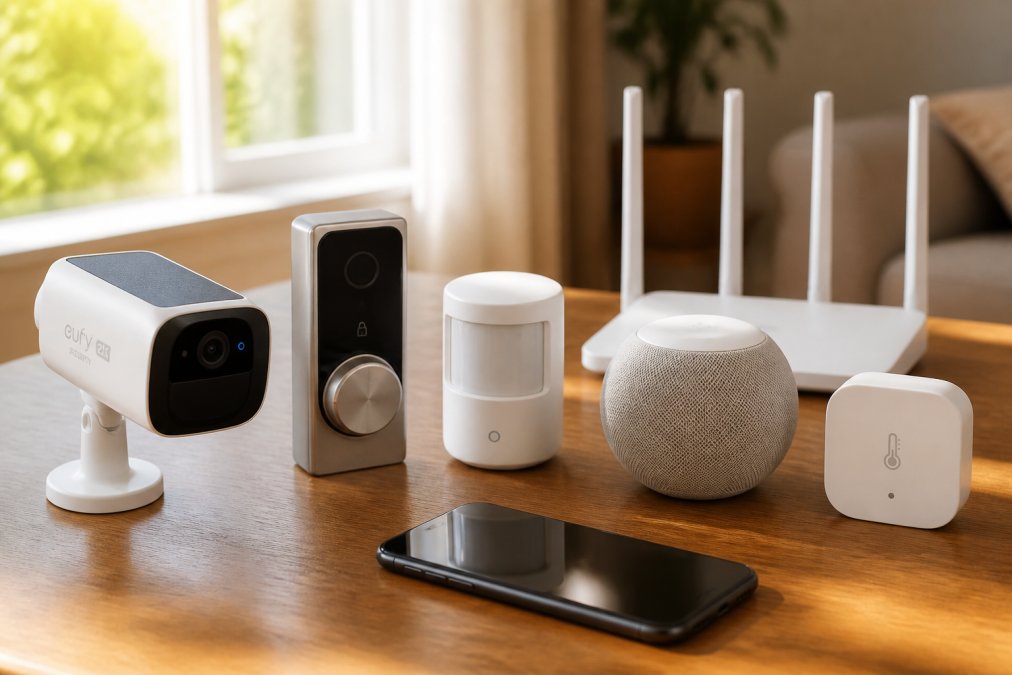
Practical compatibility checking requires three steps. First, verify that your hub supports the device's protocol. Second, check whether the device supports your preferred automation platform. Third, test the integration before relying on it. Many devices technically support automation but have limited trigger options or delayed responses that make them impractical.
The compatibility challenge intensifies when you mix ecosystems. A HomeKit camera won't integrate with an Alexa routine. A Zigbee lock won't trigger a Z-Wave scene without a bridge device. Understanding these limitations upfront prevents frustration later.
Essential Components: Hubs, Voice Assistants, and Mesh Networks
A functional smart home requires three foundational layers: a control hub, voice interface, and wireless infrastructure.
Hubs and Controllers serve as the central nervous system. They process automation logic, handle device communication, and maintain local processing when cloud connectivity drops. Amazon Echo devices function as Alexa hubs, Apple HomePod mini serves as a HomeKit hub, and Google Home devices anchor Google ecosystems. Each hub type supports different device ecosystems and automation capabilities. HomeKit hubs offer the strongest privacy protections. Google hubs integrate most seamlessly with Google services.
Voice Assistants provide the primary interface for most users. Grand View Research's 2025 smart home market analysis documents how AI-powered voice assistants have become central to smart home interaction. Voice commands work best for simple actions: "Turn off the lights," "Lock the front door," "Set the thermostat to 72 degrees." Complex automations still require app configuration.
Mesh Networks extend wireless coverage beyond your router's range. Traditional Wi-Fi struggles with distance and obstacles. A mesh system uses multiple nodes, each relaying signals to the next, effectively expanding coverage throughout your home. Zigbee and Z-Wave mesh protocols use less power than Wi-Fi, making them ideal for battery-powered sensors. If your home exceeds 2,500 square feet or has multiple stories with thick walls, mesh networking becomes essential.
Choose your hub first, your preferred wireless protocol second, then select compatible devices. Reversing this order creates costly mistakes.
Where to Buy Smart Home Automation Kits Online
Online purchasing dominates smart home buying, representing 52.60% of all transactions in 2025. This reflects consumer preference for self-installation and direct-to-consumer pricing.
TechyDealy specializes in curated smart home gadgets and security devices, offering complimentary ground shipping and hassle-free returns on every order. The selection focuses on devices that actually work together. You'll find security cameras, smart locks, and compatible hubs in one place, eliminating the frustration of hunting across multiple retailers. The Wireless 2K Outdoor Solar Security Camera, Waterproof Smart Lock, and MOMAX PinGuard tracker are available with full product support and straightforward return policies.

Online marketplaces like Amazon offer breadth but minimal curation. You'll find thousands of products with inconsistent quality and support. The advantage is price competition and fast shipping. The disadvantage is doing all the compatibility research yourself.
Manufacturer direct sites offer the deepest integration with their ecosystems but limited cross-platform options. Specialty retailers like Best Buy maintain physical locations for hands-on testing but charge premium prices.
The practical recommendation: Start with TechyDealy for your core devices and hubs. Use manufacturer sites for ecosystem-specific products. Avoid generic online marketplaces for your first purchase, the compatibility risk outweighs potential price savings.
Common Pitfalls and How to Avoid Them
Most smart home projects fail for predictable reasons.
Pitfall 1: Buying devices before choosing a hub. Solution: Choose your hub and protocol first, then select devices.
Pitfall 2: Underestimating wireless range. Solution: Test device placement before permanent installation. If a device responds slowly, move it closer to your hub or add a mesh node.
Pitfall 3: Overcomplicating automations. Solution: Start with simple automations like "Turn on lights when motion is detected." Build complexity gradually.
Pitfall 4: Ignoring firmware updates. Solution: Enable automatic updates where available. Check for manual updates quarterly on devices that don't auto-update.
Pitfall 5: Mixing too many ecosystems. Solution: Choose one primary ecosystem and use others only for specific devices that require them.
Pitfall 6: Neglecting security. Solution: Change default passwords immediately. Use strong, unique passwords for each device. Enable two-factor authentication on hub accounts. Update firmware regularly.
Building a smart home in 2026 is fundamentally different from five years ago. The technology works. The ecosystem fragmentation is manageable. The challenge shifts from "Can I make this work?" to "Which combination of devices and protocols actually serves my needs?"
Start with TechyDealy's curated selection of security cameras, smart locks, and compatible hubs. The Wireless 2K Outdoor Solar Security Camera ($138.38) delivers reliable surveillance without subscription fees. The Waterproof Smart Lock ($143.99) solves the sliding door problem most systems ignore. The MOMAX PinGuard ($93.99) adds tracking and hidden camera detection in a single device. Together, these products demonstrate how smart home automation works when devices are selected for compatibility.
Shop Smart Essentials at TechyDealy and experience smarter living with complimentary shipping and hassle-free returns on every order.
=== FAQ ANSWERS (audit these too, same rules) ===
[1] Q: What should I look for when buying a smart home automation kit online? A: Prioritize compatibility with your existing ecosystem (Amazon Alexa, Google Assistant, or Apple HomeKit). Check for Matter support, which simplifies device pairing and improves security. Verify that the kit includes a hub or controller, as many devices require one for remote access. Read reviews about interoperability to avoid purchasing devices that don't communicate reliably. Finally, confirm the retailer offers free shipping and hassle-free returns, so you can test the kit risk-free.
[2] Q: Are smart home automation kits compatible with all devices? A: Not all devices are compatible with every ecosystem. Matter, a universal standard developed by Amazon, Apple, and Google, is improving interoperability, but older devices may not support it. Before purchasing, verify that your chosen devices work with your primary voice assistant or hub. Check product specifications and customer reviews for real-world compatibility reports. Many online retailers, including TechyDealy, stock devices tested for common ecosystem compatibility to reduce setup headaches.
[3] Q: How do I ensure my smart home devices are secure? A: Enable two-factor authentication on all accounts controlling your smart home. Keep firmware updated by checking your hub or app regularly for patches. Use strong, unique passwords for each device and avoid using public Wi-Fi to access your system. Choose devices with encryption standards and local processing options when possible. Disable cloud features you don't use. Review privacy settings in your voice assistant's app monthly. Consider devices that offer privacy-first local control rather than relying solely on cloud-based processing.
[4] Q: How much should I budget for a starter smart home automation kit? A: A basic starter kit typically costs $200-$500 and includes a hub, a few smart lights or sensors, and voice assistant integration. Security-focused kits (cameras, smart locks, sensors) run $300-$800. The Wireless 2K Outdoor Solar Security Camera at TechyDealy ($138.38) and the Waterproof Smart Lock ($143.99) are excellent entry points for security. Budget an additional $50-$150 for a compatible hub if not included. Costs scale with the number of rooms and devices you want to automate.
Frequently Asked Questions
What should I look for when buying a smart home automation kit online?
Prioritize compatibility with your existing ecosystem (Amazon Alexa, Google Assistant, or Apple HomeKit). Check for Matter support, which simplifies device pairing and improves security. Verify that the kit includes a hub or controller, as many devices require one for remote access. Read reviews about interoperability to avoid purchasing devices that don't communicate reliably. Finally, confirm the retailer offers free shipping and hassle-free returns, so you can test the kit risk-free.
Are smart home automation kits compatible with all devices?
Not all devices are compatible with every ecosystem. Matter, a universal standard developed by Amazon, Apple, and Google, is improving interoperability, but older devices may not support it. Before purchasing, verify that your chosen devices work with your primary voice assistant or hub. Check product specifications and customer reviews for real-world compatibility reports. Many online retailers, including TechyDealy, stock devices tested for common ecosystem compatibility to reduce setup headaches.
How do I ensure my smart home devices are secure?
Enable two-factor authentication on all accounts controlling your smart home. Keep firmware updated by checking your hub or app regularly for patches. Use strong, unique passwords for each device and avoid using public Wi-Fi to access your system. Choose devices with encryption standards and local processing options when possible. Disable cloud features you don't use. Review privacy settings in your voice assistant's app monthly. Consider devices that offer privacy-first local control rather than relying solely on cloud-based processing.
How much should I budget for a starter smart home automation kit?
A basic starter kit typically costs $200-$500 and includes a hub, a few smart lights or sensors, and voice assistant integration. Security-focused kits (cameras, smart locks, sensors) run $300-$800. The Wireless 2K Outdoor Solar Security Camera at TechyDealy ($138.38) and the Waterproof Smart Lock ($143.99) are excellent entry points for security. Budget an additional $50-$150 for a compatible hub if not included. Costs scale with the number of rooms and devices you want to automate.
This article was written using GrandRanker