

Table of Contents
- Why Energy Efficient Gadgets Matter for Modern Homes
- Smart Thermostats: The Biggest Win for Climate Control
- Energy Efficient Smart Lighting Systems That Pay Off
- Best Smart Home Energy Monitors for Real-Time Tracking
- Smart Plugs and Power Strips: How to Reduce Electricity Bill with Smart Devices
- Smart Appliances and the Modern Energy Ecosystem
- Which Energy Efficient Gadgets Should You Pick?
- Frequently Asked Questions
Last Updated: September 4, 2026
Why Energy Efficient Gadgets Matter for Modern Homes
The global smart home market is projected to grow from $207.0 billion in 2026 to $887.4 billion by 2033, according to Grand View Research market analysis. That surge reflects a simple reality: energy efficient gadgets for modern homes are no longer a niche luxury. They are the most direct way homeowners can cut utility bills while shrinking their carbon footprint.
HVAC systems account for the largest portion of a household's electric bill, a fact confirmed by San Patricio Electric's energy guidance. Tackling that single category with smart controls delivers outsized returns. For most households, the prize isn't one dramatic device; it's a coordinated strategy of connected tools working together.
At TechyDealy, our guidance focuses on gadgets that offer measurable utility bill reduction, not just novelty, showing you how to prioritize purchases, calculate payback periods, and avoid interoperability headaches.
The five categories we cover represent the highest-impact investments you can make this year. Each targets a specific source of energy waste. But first, here's what most guides get wrong: they treat energy efficiency as a product feature. In reality, it's a system outcome.
Energy efficient gadgets are the tools; automation is the strategy. CNET's 2026 smart home analysis reports that smart thermostats can save users approximately 10% on annual energy bills when programmed correctly. That programming is where the real value lives, and it's where we'll focus our attention.
Smart Thermostats: The Biggest Win for Climate Control
Smart thermostats are the single highest-ROI purchase for most homes because they directly regulate the largest energy consumer you own. Remote temperature control via smartphone-enabled thermostats can reduce energy consumption and save homeowners up to $50 annually, roughly 8% of average energy costs, per Today's Homeowner savings estimates. That number climbs when you layer in smart scheduling and geofencing.
The best models learn your routines, detect occupancy, and adjust temperatures automatically. The key features that matter most are geofencing, which uses your phone's location to trigger away modes, and energy reports that show you exactly where consumption happens.
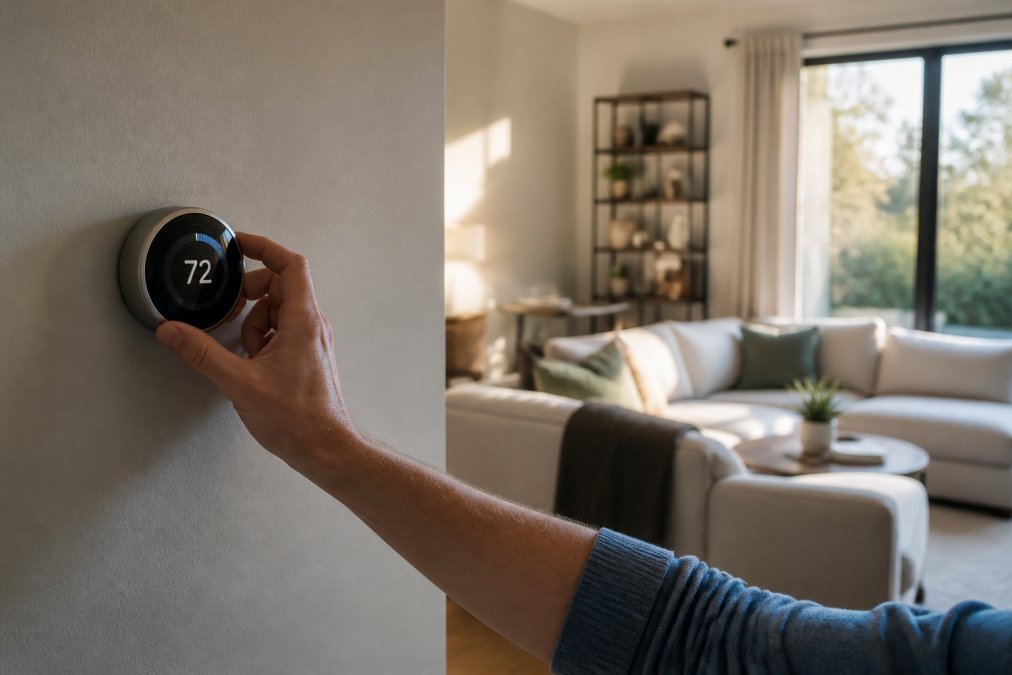
A common mistake is installing a smart thermostat and leaving it in manual mode. Set it once, let it learn for two weeks, and resist the urge to fiddle; most users see the biggest gains in the second month.
Energy Efficient Smart Lighting Systems That Pay Off
Smart lighting delivers modest but reliable savings, and the technology has matured significantly. The National Association of Home Builders highlights that integrating automated dimmers, timers, and smart bulbs is a key method for lowering electricity bills while increasing the operational life of lighting hardware, as reported in their consumer energy efficiency resource. LED bulbs already use a fraction of the energy of incandescents; adding smart controls eliminates the waste from lights left on in empty rooms.
The core value is automation, not the bulbs themselves. Ambient light sensing dims fixtures when sunlight floods a room; occupancy sensors turn off lights in hallways and bathrooms minutes after you leave; smart scheduling ensures exterior lights follow sunset times year-round.
Energy efficient smart lighting systems work best when you combine three elements: LED bulbs as the baseline, smart switches for fixtures you use daily, and motion sensors for transitional spaces. You don't need smart bulbs everywhere; a smart switch on your living room overhead is cheaper and more reliable than replacing every bulb.
Best Smart Home Energy Monitors for Real-Time Tracking
Home energy monitors answer a question most people cannot: where does your electricity actually go? These devices clamp onto your electrical panel and measure consumption circuit by circuit, streaming data to an app that shows real-time usage in kilowatt-hours.
The best smart home energy monitors provide appliance-level insights without requiring you to rewire anything. You can see that your old refrigerator draws 400 watts when cycling, or that your home office equipment consumes more standby power than your TV. People who monitor their usage typically cut consumption by 5-15% simply because they can see the waste.
The catch is installation. These devices mount inside your electrical panel, which means working with live circuits. If you are not comfortable with basic electrical work, budget for an electrician.
Smart Plugs and Power Strips: How to Reduce Electricity Bill with Smart Devices
Phantom power, also called vampire load or standby power, is the electricity devices draw while plugged in but not actively performing their primary function. The U.S. Department of Energy estimates that standby power can account for 5-10% of a typical home's annual electricity use, translating to roughly $100-$200 wasted every year.
Smart plugs and advanced power strips attack this problem with varying degrees of aggressiveness. The key distinction is between a smart plug that simply switches power on and off, and a smart power strip that actively monitors current draw and severs power when a device enters standby mode. The latter is particularly effective for entertainment centers, where a television, soundbar, gaming console, and streaming box can collectively draw 30-50 watts even when "off."
What most guides fail to mention is the payback calculation. A single smart plug costs $10-$25. If it eliminates 10 watts of standby draw continuously, that saves roughly 87 kilowatt-hours per year, or about $15 at national average rates. That means a $15 smart plug pays for itself in about one year.
The real opportunity, however, is in scheduling and automation, not just switching. A smart plug that cuts power to your coffee maker at 10 a.m. saves nothing if the coffee maker draws zero when idle. The savings come from devices with persistent standby loads: cable boxes, which can draw 20-30 watts continuously; older electronics with linear power supplies; and any device with a clock or LED display that never sleeps.
A common pattern among successful implementations is grouping devices by function rather than location. Instead of plugging your TV and soundbar into separate smart plugs, use one advanced power strip that senses when the TV draws current and automatically cuts power to the soundbar and gaming console after a delay.
The TechyDealy Power Bar with USB consolidates this strategy with 4 AC outlets and 3 USB ports in a compact cube. Its physical on/off switch severs power to everything connected, which is useful for whole-desk shutdown, but the real efficiency gain comes from pairing it with a smart plug on the primary device. When you turn off your computer monitor, the smart plug can trigger the entire power bar to cut standby power to peripherals that would otherwise remain energized.

The most overlooked aspect of vampire load reduction is the cumulative effect across an entire home. A typical American household has 20-30 devices drawing standby power. Eliminating even half of that load can reduce your baseline consumption by 5-8%, which compounds with every other efficiency measure you implement.
Smart Appliances and the Modern Energy Ecosystem
The 2026 landscape for home gadgets includes a notable shift toward AI-integrated appliances, with AI ovens and smart refrigerators increasingly categorized as essential components for transforming energy management in modern living spaces, according to Michelle Elliott Realtor's 2026 gadget overview. Smart appliances can reduce energy costs for a typical household by 2-9%, as documented by IoT Now's smart home savings report. These gains come from adaptive operation, load shifting, and better insulation monitoring.
But the single biggest mistake homeowners make is buying smart appliances that cannot communicate with each other. A smart refrigerator that optimizes its defrost cycle saves energy in isolation. A smart refrigerator that coordinates with your smart thermostat to shift its compressor run time to off-peak hours saves energy as part of a system. The difference is interoperability.
The Protocol Stack: Matter, Zigbee, Thread, and Wi-Fi
Understanding how your devices talk to each other is the foundation of ecosystem integration. The smart home industry has consolidated around three primary wireless protocols, each with distinct trade-offs:
-
Matter is the interoperability standard backed by Apple, Google, Amazon, and the Connectivity Standards Alliance. Matter devices use a common application layer, meaning a Matter-certified thermostat from one manufacturer can be controlled by any Matter-certified hub or app, regardless of brand. Matter runs over Wi-Fi, Thread, or Ethernet, and its primary value is eliminating the brand silos that plagued early smart homes.
-
Thread is a low-power mesh networking protocol designed for battery-operated devices like sensors and door locks. Thread devices form a self-healing mesh where each device relays data for its neighbors, extending range without additional infrastructure. Thread is the backbone of Matter-based sensor networks because it sips power, allowing sensors to run for years on a single coin cell battery.
-
Zigbee is an older mesh protocol that predates Matter and remains widely deployed in existing smart home products. Zigbee devices are generally reliable and inexpensive, but they require a Zigbee coordinator (often built into a hub like Amazon's Echo Plus or a dedicated bridge) and do not natively communicate with Matter devices without a bridge.
-
Wi-Fi is the most common protocol for smart plugs, cameras, and appliances because it requires no additional hub. The trade-off is power consumption: Wi-Fi radios draw significantly more current than Thread or Zigbee, which is why battery-powered sensors rarely use Wi-Fi. For plugged-in appliances, however, Wi-Fi is perfectly acceptable.
Building a Cohesive Energy-Saving System
The most effective strategy is to choose one primary ecosystem and ensure every device you purchase is compatible with it. The three dominant ecosystems in the United States are Amazon Alexa, Google Home, and Apple HomeKit. The critical factor is whether your chosen hub supports Matter, because Matter is the only protocol that guarantees cross-brand interoperability without proprietary bridges.
A practical example of ecosystem-level energy savings: a Matter-enabled smart thermostat, a Thread-based occupancy sensor in your living room, and a Matter-compatible smart plug on your entertainment center. When the occupancy sensor detects no motion for 30 minutes, it signals the thermostat to enter away mode, the smart plug to cut standby power to the TV and soundbar, and the smart lighting system to dim to 10%. This coordinated response requires no individual scheduling or manual override.
The second layer of ecosystem integration is energy pricing awareness. Many U.S. utilities now offer time-of-use rate plans, where electricity costs more during peak afternoon hours and less overnight. A truly integrated smart home can shift energy-intensive operations to off-peak windows automatically: smart appliances with delay-start features can run at 11 p.m. when rates drop, smart thermostats can pre-cool during off-peak hours, and smart water heaters can heat during the night.
The third layer is data aggregation. A whole-home energy monitor, like the Sense or Emporia Vue, can track which circuits draw power and when. When you combine that data with your smart thermostat's runtime logs and your smart plug's switching history, you can identify patterns that no single device reveals.
The Practical Purchase Order
Most households cannot replace all their appliances at once. The practical approach is to prioritize based on both energy impact and interoperability potential:
- Smart thermostat with Matter support and geofencing (highest single-device impact)
- Whole-home energy monitor to establish your baseline and identify waste
- Thread-based occupancy sensors in high-traffic rooms to enable presence-based automation
- Smart plugs and power strips on your top five standby-power offenders
- Smart appliances only when replacing an existing unit that has reached end of life
This order ensures that every subsequent purchase integrates with the system you have already built. Buying a smart refrigerator before you have a hub, an energy monitor, and occupancy sensors means the refrigerator operates in isolation, and you miss the ecosystem benefits that justify its premium price.
The final consideration is the hub itself. A dedicated smart home hub, whether it is an Amazon Echo, Google Nest Hub, Apple TV, or a purpose-built device like Home Assistant running on a Raspberry Pi, is the brain of your ecosystem. Investing in a capable hub with Matter support is the single most important purchase for building a cohesive system.
Which Energy Efficient Gadgets Should You Pick?
Not every home needs every category. Your priorities should follow your energy audit, even a simple one. Start with a monitor to find your biggest waste sources, then attack the largest line items first.
| Priority | Gadget Category | Typical Savings | Best First Purchase |
|---|---|---|---|
| 1 | Smart Thermostat | Up to 10% of HVAC costs | Programmable model with geofencing |
| 2 | Energy Monitor | 5-15% usage reduction | Whole-home panel monitor |
| 3 | Smart Plugs | Eliminates phantom power | Multi-outlet power strip with switch |
| 4 | Smart Lighting | 2-9% of electric bill | Smart switches + LED bulbs |
| 5 | Smart Appliances | Marginal per unit | Replace oldest, least efficient unit |
For most households, the smart thermostat is the clear first purchase because HVAC dominates consumption. The energy monitor is second, as it reveals where the remaining waste hides. Smart plugs and power strips are the cheapest wins and pay for themselves quickly.
TechyDealy carries the essentials to execute this strategy, from the Power Bar with USB for phantom power reduction to the Wireless 2K Outdoor Solar Security Camera, which runs on continuous solar power and eliminates the energy draw of traditional security cameras entirely. Our Wireless Charging Station also consolidates five 10000mAh power banks in one dock.


The common thread across every recommendation is automation. A gadget that requires daily manual adjustment will fail within weeks. One that learns, schedules, and adapts will deliver savings quietly for years.
Reducing your home's energy consumption starts with understanding where your power goes, then deploying the right connected tools to eliminate waste. TechyDealy supports this effort with a curated selection of smart plugs, solar-powered security cameras, and charging stations that consolidate your electronics into fewer, more efficient power points. Every order includes complimentary ground shipping and hassle-free returns, so you can build your smart home ecosystem with confidence. Get started with TechyDealy and take the first step toward a lower utility bill.
Frequently Asked Questions
What are the best energy-saving devices for home use?
Smart thermostats are the strongest starting point, saving about 10% on annual energy bills when programmed correctly. Energy efficient smart lighting systems, smart plugs that cut standby power, and smart home energy monitors also deliver measurable results. Pairing these with smart appliances creates an energy management system that reduces waste across your entire home.
How much can smart home energy monitors reduce my electricity bill?
Smart home energy monitors don't save energy directly, but they show where your kilowatt-hours go in real time. Most homeowners find phantom power and older appliances after tracking usage for a week. That visibility lets you shift loads, schedule devices, and cut vampire load, which typically reduces your utility bill by 5% to 10% without changing your comfort habits.
How do smart thermostats help reduce electricity costs?
Smart thermostats reduce electricity costs by automating climate control based on your schedule and occupancy. Geofencing turns off heating or cooling when you leave, while smart scheduling warms or cools the home only before you arrive. The Department of Energy estimates this saves about 10% on heating and cooling, which is the largest portion of a typical household's electric bill.
Are smart plugs actually effective at saving energy?
Smart plugs are effective because they eliminate standby power, the energy devices draw when turned off but still plugged in. A power strip with smart outlets lets you cut power to entertainment centers, chargers, and kitchen appliances remotely or on a schedule. Each plug saves a small amount, but five to ten plugs across a home can reduce your monthly bill by 3% to 5%.
This article was written using GrandRanker